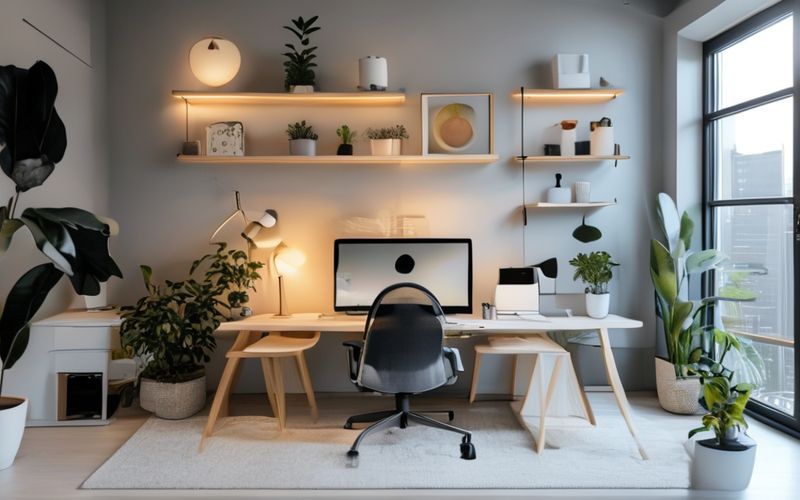
Boost Productivity & Sustainability: Energy-Efficient Home Office Setup Guide
Boost Productivity & Sustainability: Energy-Efficient Home Office Setup Guide
As the world continues to evolve and technology advances, it's no secret that our daily habits have a significant impact on the environment. With more people working from home than ever before, it's crucial to create an energy-efficient home office setup that not only boosts productivity but also reduces your carbon footprint.
What's the Goal?
The goal of this guide is to provide you with actionable tips and strategies to transform your home office into a sustainable haven. By making small changes to your workspace, you'll be able to reduce your energy consumption, minimize waste, and create a healthier work environment that benefits both you and the planet.
Join thousands of learners upgrading their career. Start Now
Why Should You Care?
As individuals, our daily choices may seem insignificant, but collectively, they have a profound impact on the environment. By adopting energy-efficient habits in your home office, you'll be contributing to a larger movement towards sustainability. Additionally, an eco-friendly workspace can:
- Improve air quality and reduce indoor pollutants
- Save you money on utility bills and reduce waste
- Enhance your overall well-being and job satisfaction
- Demonstrate your commitment to corporate social responsibility (CSR)
Brief Overview of Energy Efficiency in Home Offices
Energy efficiency in home offices refers to the practice of using resources wisely, reducing consumption, and minimizing waste. By implementing energy-efficient practices, you'll be able to:
- Reduce energy consumption by up to 30%
- Lower your carbon footprint
- Save money on utility bills
- Improve air quality and reduce indoor pollutants
Lighting Up Your Home Office
==================================
Proper lighting can significantly impact the ambiance and productivity of your home office. Here are some strategies to help you optimize your lighting:
Natural Light Strategies
When possible, utilize natural light by placing your workspace near windows. This not only reduces the need for artificial lighting but also provides a more comfortable working environment.
Placing Furniture Near Windows
Consider rearranging your furniture to take advantage of natural light. Place your desk and chair near windows to reduce the need for artificial lighting during daylight hours.
Window Treatments for Maximum Natural Light
Use window treatments like blinds, shades, or curtains to control the amount of natural light entering your workspace. This will help you maintain a comfortable level of brightness while reducing glare on screens and papers.
LED and Energy-Efficient Lighting Options
LED lighting is an excellent alternative to traditional incandescent bulbs. When selecting energy-efficient lighting options, consider the following:
Choosing the Right Bulbs
Opt for LED or CFL bulbs, which consume significantly less energy than traditional bulbs.
Installing Dimmer Switches and Timers
Install dimmer switches to adjust the brightness of your lighting according to your needs. Consider installing timers to turn off lights when not in use, reducing standby power consumption.
Powering Your Home Office
==========================
A well-functioning computer is essential for any home office. Here's how you can optimize your computer and power usage:
Selecting an Energy-Efficient Computer
When purchasing a new computer or upgrading your current one, look for energy-efficient options with low power consumption.
Buying a New Computer
Consider buying a computer that meets the ENERGY STAR certification criteria. These computers are designed to consume less energy while still providing optimal performance.
Upgrading Your Current Computer
If you're not ready to upgrade your current computer, consider upgrading its components or installing an energy-efficient power supply unit (PSU).
Efficient Power Strips and Plugs
Use power strips and plugs to reduce standby power consumption:
Using Surge Protectors and Outlets
Install surge protectors and outlets to safeguard your equipment from power surges and spikes.
Tips for Reducing Standby Power Consumption
Unplug devices when not in use, or consider using smart power strips that can detect device activity and turn off standby power consumption.
Cooling and Heating Your Home Office
=====================================
Maintaining a comfortable temperature is crucial for productivity. Here's how you can optimize your cooling and heating:
Setting the Perfect Temperature
Understand the impact of temperature on productivity:
- Understanding the Impact of Temperature on Productivity
- Aim for a comfortable temperature between 22°C to 24°C (72°F to 75°F)
- Tips for Maintaining a Comfortable Workspace
- Keep your home office well-ventilated
- Use a thermostat to regulate the temperature
Energy-Efficient Cooling and Heating Options
Choose energy-efficient cooling and heating options:
Choosing the Right Air Conditioning Unit
Select an air conditioning unit that meets ENERGY STAR certification criteria.
Using Ceiling Fans and Portable Heaters
Use ceiling fans or portable heaters to maintain a comfortable temperature while reducing energy consumption.
Electrical Outlets and Cords
============================
Properly manage your cords and outlets to reduce clutter and optimize energy efficiency:
Managing Cords and Cable Management
Implement cord organization strategies to reduce cord clutter:
- Cord Organization Strategies
- Use cable ties or zip ties to secure cords
- Install a cord organizer system under your desk
Reducing Cord Clutter
Regularly clean up any cord clutter to reduce tripping hazards and improve overall workspace organization.
Smart Power Strips and Switches
Install smart power strips and switches to automate your home office's power consumption:
- Automating Your Home Office's Power Consumption
- Install a smart power strip that can detect device activity and turn off standby power consumption
- Use smart plugs or outlets to schedule device shutdowns
Tips for Monitoring Energy Usage
Regularly monitor your energy usage to identify areas for improvement:
- Monitoring Energy Usage
- Use an energy monitoring app or software to track your energy consumption
- Adjust your home office setup accordingly based on energy usage data
Conclusion
In conclusion, creating an energy-efficient home office is a crucial step towards reducing your carbon footprint. By implementing the strategies outlined in this guide, you'll be able to:
- Reduce energy consumption and waste
- Improve air quality and overall workspace comfort
- Save money on utility bills and enhance job satisfaction
Remember, every small change counts! Take control of your home office's energy efficiency today and contribute to a more sustainable future.
Boost Your Home Office's Energy Efficiency with These Additional Tips
- Consider upgrading to energy-efficient appliances and devices
- Install solar panels or invest in renewable energy credits
- Implement recycling programs for paper, plastic, and electronics
- Encourage employees (if you have a team) to adopt eco-friendly habits
By following these tips and guidelines, you'll be well on your way to creating an energy-efficient home office that not only boosts productivity but also reduces your carbon footprint.